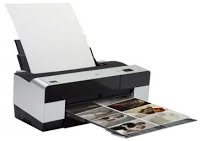
Epson Stylus Pro 3800

 Maintenance Codes
 Error Code:      Description:
 0001    The counter of waste ink used for printing margins at  
 borderless printing has reached the specified value.
 0002    The CR scan pass counter has reached the specified value.
 (ink supply tube has reached its end of life.)
 0008    The RTC backup battery becomes exhausted.
 0040    The pump counter has reached the specified value.
 0080    The date has not been set.
 0100    The RTC backup battery power has temporarily dropped.
 0800    The ink cartridge installation/removal counter has reached
 the upper limit.
 1000    The number of drives of the ink selector has reached the
 upper limit.
 0088    RTC backup battery has not been set.


 Service Call Errors

 Error Code:      Description:
 1101    CR life error
 1120    CR lock error
 1121    CR reverse error
 1122    CR overspeed error
 1123    Duty over error
 1124    Drive timeover error
 1125    CR home position detection error
 1126    CR lock release error
 1127    CR lock set error
 1130    Overspeed error (PID-load positioning)
 1131    Drive timeover error (PID-load positioning)
 1132    Out of sync. (PID-load positioning)
 1133    Positioning time-out (PID-load positioning)
 1134    Integral term overload (PID-load positioning)
 1135    Encoder test error (PID-load positioning)
 1220    Overspeed error
 1221    PF measurement error
 1222    Drive timeover error
 1223    Encoder test error
 1224    Out of sync
 1225    Positioning time-out
 1226    Integral term overload
 131B    Head driver (transmission gate) temp. error
 1400    Pressure motor drive timeover
 1401    Air leaks
 1403    Pressure reducing error
 1404    Pump movement cycle over error
 1410    Drive time monitor time-out (PUMP)
 142D    Pump cap unit life error
 1425    CSIC communication time-out
 1430    Holder ink pad error


Epson Stylus Pro 9xxx Series

Epson Stylus Pro 9900

Maintenance Codes Error Code:      Description: 0010  Communication with the AID Board is not established. The voltage applied to the Flushing Box does not reach the specified  level. 4000  It detects twice in a row that all the nozzles are clogging. 8000  Detects...

Epson Stylus Pro 9890

Maintenance Codes Error Code:      Description: 0010  Communication with the AID Board is not established. The voltage applied to the Flushing Box does not reach the specified  level. 4000  It detects twice in a row that all the nozzles are clogging. 8000  Detects...

Epson Stylus Pro 9700

Maintenance Codes Error Code:      Description: 0010  Communication with the AID Board is not established. The voltage applied to the Flushing Box does not reach the specified  level. 4000  It detects twice in a row that all the nozzles are clogging. 8000  Detects...

Epson Stylus Pro 9880C

Maintenance Codes Error Code:      Description: 0002  The number of carriage movement cycles reached the specified value. 0040  The pump counter reached the specified upper limit. 0400  The Pressure Pump counter reached the specified upper limit.  Service Call...

Epson Stylus Pro 9880

Maintenance Codes Error Code:      Description: 0002  The number of carriage movement cycles reached the specified value. 0040  The pump counter reached the specified upper limit. 0400  The Pressure Pump counter reached the specified upper limit.  Service Call...

Epson Stylus Pro 9800

Maintenance Codes  Error Code:      Description:  0002  The number of carriage movement cycles reached the specified value.  0040  The pump counter reached the specified upper limit.  0400  The Pressure Pump counter reached the specified upper limit.  Service Call...

Epson Stylus Pro 9450

Maintenance Codes Error Code:      Description: 0002  The number of carriage movement cycles reached the specified value. 0040  The pump counter reached the specified upper limit. 0400  The Pressure Pump counter reached the specified upper limit.   Service Call...

Epson Stylus Pro 9400

Maintenance Codes Error Code:      Description: 0002  The number of carriage movement cycles reached the specified value. 0040  The pump counter reached the specified upper limit. 0400  The Pressure Pump counter reached the specified upper limit. Service Call...

Epson Stylus Pro 9600

Maintenance Codes Error Code:                                        Description: 0002  CR pass count reaches the limit 0008  RTC backup battery is empty 0020  The number of shots (per nozzle) reaches the limit 0040  Pump motor operation count reaches the...

Epson Stylus Pro 7xxx Series

Epson Stylus Pro 7900

Maintenance Codes Error Code:      Description: 0010  Communication with the AID Board is not established. The voltage applied to the Flushing Box does not reach the specified  level. 4000  It detects twice in a row that all the nozzles are clogging. 8000  Detects...

Epson Stylus Pro 7890

Maintenance Codes Error Code:      Description: 0010  Communication with the AID Board is not established. The voltage applied to the Flushing Box does not reach the specified  level. 4000  It detects twice in a row that all the nozzles are clogging. 8000  Detects...

Epson Stylus Pro 7700

Maintenance Codes Error Code:      Description: 0010  Communication with the AID Board is not established.The voltage applied to the Flushing Box does not reach the specifiedlevel. 4000  It detects twice in a row that all the nozzles are clogging. 8000  Detects Noises...

Epson Stylus Pro 7880C

Maintenance Codes Error Code:      Description: 0002  The number of carriage movement cycles reached the specified value. 0040  The pump counter reached the specified upper limit. 0400  The Pressure Pump counter reached the specified upper limit. Service Call...

Epson Stylus Pro 7880

Maintenance CodesError Code:      Description: 0002  The number of carriage movement cycles reached the specified value. 0040  The pump counter reached the specified upper limit. 0400  The Pressure Pump counter reached the specified upper limit. Service Call...

Epson Stylus Pro 7800

Maintenance CodesError Code:      Description: 0002  The number of carriage movement cycles reached the specified value. 0040  The pump counter reached the specified upper limit. 0400  The Pressure Pump counter reached the specified upper limit.Service Call...

Epson Stylus Pro 7450

Maintenance Codes Error Code:      Description: 0002  The number of carriage movement cycles reached the specified value. 0040  The pump counter reached the specified upper limit. 0400  The Pressure Pump counter reached the specified upper limit. Service Call...

Epson Stylus Pro 7400

Maintenance Codes Error Code:      Description: 0002  The number of carriage movement cycles reached the specified value. 0040  The pump counter reached the specified upper limit. 0400  The Pressure Pump counter reached the specified upper limit.  Service Call...

Epson Stylus Pro 7600

Maintenance Codes Error Code:      Description: 0002  CR pass count reaches the limit 0008  RTC backup battery is empty 0020  The number of shots (per nozzle) reaches the limit 0040  Pump motor operation count reaches the limit 0080  Date is not specified 0100  RTC...

Epson Stylus Pro 4xxx Series

Epson Stylus Pro 4880C

Maintenance CodesError Code:   Description: 0002  The number of CR movement cycles has reached predetermined value 0008  RTC backup battery shut off / uninstalled 0040  Pump counter has reached predetermined amount 0080  Date is not set 0088  RTC backup battery is not...

Epson Stylus Pro 4880

Maintenance CodesError Code:   Description: 0002  The number of CR movement cycles has reached predetermined value 0008  RTC backup battery shut off / uninstalled 0040  Pump counter has reached predetermined amount 0080  Date is not set 0088  RTC backup battery is not...

Epson Stylus Pro 4800

Maintenance CodesError Code:   Description: 0002  The number of CR movement cycles has reached predetermined value 0008  RTC backup battery shut off / uninstalled 0040  Pump counter has reached predetermined amount 0080  Date is not set 0088  RTC backup battery is not...

Epson Stylus Pro 4450

Maintenance CodesError Code:   Description: 0002  The number of CR movement cycles has reached predetermined value 0008  RTC backup battery shut off / uninstalled 0040  Pump counter has reached predetermined amount 0080  Date is not set 0088  RTC backup battery is not...

Epson Stylus Pro 4400

Maintenance CodesError Code:   Description: 0002  The number of CR movement cycles has reached predetermined value 0008  RTC backup battery shut off / uninstalled 0040  Pump counter has reached predetermined amount 0080  Date is not set 0088  RTC backup battery is not...

Epson Stylus Pro 4000

Maintenance Codes Error Code:      Description: 0002  Carriage Motor / Ink Tube end of life 0004  Nozzle check error 0008  RTC error ( Real Time Clock) 0010  Multi Sensor Error 0020  Print Head life counter 0040  Cleaner Unit end of life 0080  Date is not...

ECRM Mako Series

The following messages are for the Mako Series of imagesetters inclusive of the following models:
 Mako 36  Mako 3600  Mako 3625  Mako 3650  Mako 3675
 Mako 46  Mako 4600  Mako 4625  Mako 4650  Mako 4675
 
Status Message:                    Meaning:
 OFFLINE
 
   The system is currently offline or “Test Patterns” has been selected
 in Interface Mode Menu.
 ONLINE

   The system is currently online.
 NO CASSETTE
 
   There is no output cassette on the imagesetter.
 OUT OF FILM
 
   The system has run out of film or paper. Media is advanced beyond
 the Capstan Drive and Pinch Rollers. A cut signal is initiated to the
 Online Processor, but no cut is performed. These actions flush the
 media from the recorder and initiate online processing
 CUTTER NOT PARKED
 
   The cutter has not parked completely. If the cutter is not parked, go to
 the Diagnostic Park Cutter window. The cutter will then try to cycle
 correctly. If it does not, contact an Authorized Service Representative.
 WAITING FOR
 PROCESSOR READY
 
   Waiting for the Online Processor to Go Ready.
 RECORDING IMAGE
 
   Status message indicating the imagesetter is currently recording an
 image.
 ADVANCING MEDIA    This message appears when the ADVANCE Key is pressed.
 CUTTING MEDIA    This message appears when the CUT Key is pressed or system is
 performing an imagesetter cut cycle.
 REMOVE CASSETTE    This message appears after a Cut has been completed to remind you
 to remove the output cassette and process the output.
 
 Error Message:                       Meaning:
 System Error #1
 
   Drive motor error
 System Error #2

   SOL (start of line) error
 System Error #3
 
   No active Video error
 System Error #4
 
   Fatal cutter error

ECRM VR Series

The following messages are for the VR Series of imagesetters inclusive of the following models:
 VR30  VR36  VR36HS  VR45  VR45HS
 
Status Message:                    Meaning:
 OFFLINE
 
   The system is currently offline or “Test Patterns” has been selected
 in Interface Mode Menu.
 ONLINE

   The system is currently online.
 NO CASSETTE
 
   There is no output cassette on the imagesetter.
 OUT OF FILM
 
   The system has run out of film or paper. Media is advanced beyond
 the Capstan Drive and Pinch Rollers. A cut signal is initiated to the
 Online Processor, but no cut is performed. These actions flush the
 media from the recorder and initiate online processing
 CUTTER NOT PARKED
 
   The cutter has not parked completely. If the cutter is not parked, go to
 the Diagnostic Park Cutter window. The cutter will then try to cycle
 correctly. If it does not, contact an Authorized Service Representative.
 WAITING FOR
 PROCESSOR READY
 
   Waiting for the Online Processor to Go Ready.
 RECORDING IMAGE
 
   Status message indicating the imagesetter is currently recording an
 image.
 ADVANCING MEDIA    This message appears when the ADVANCE Key is pressed.
 CUTTING MEDIA    This message appears when the CUT Key is pressed or system is
 performing an imagesetter cut cycle.
 REMOVE CASSETTE    This message appears after a Cut has been completed to remind you
 to remove the output cassette and process the output.


 Error Message:                       Meaning:
 System Error #1
 
   Drive motor error
 System Error #2

   SOL (start of line) error
 System Error #3
 
   No active Video error
 System Error #4
 
   Fatal cutter error